


HeyGen: AI Video Generator
4.7484.00 Reviews
App Specs
- Version
- 1.2.3
- Updated On
- License
- Free
- Downloads
- 1,000,000+
- Developer
- HeyGen Technology Inc.
- Categories
- Video Players & Editors
- Platform
- Android
Screenshots
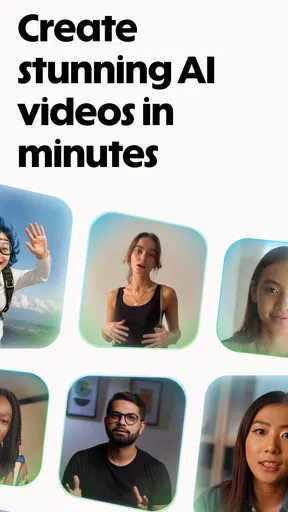

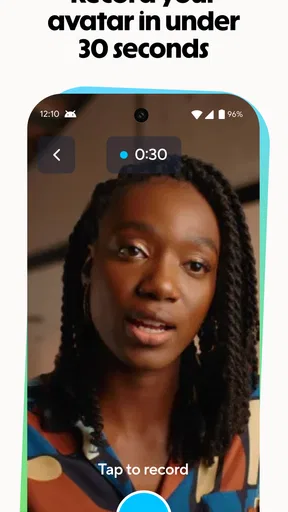
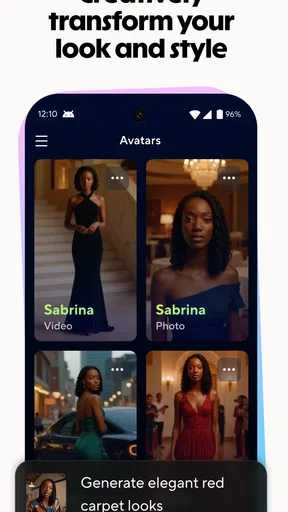
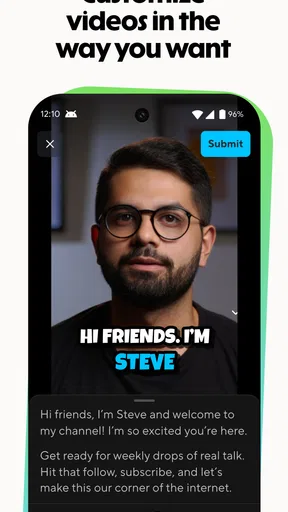
 Analysis by AppCompare
Have you ever wished you could create stunning videos without the hassle of learning complex editing software? Well, let me introduce you to HeyGen: AI Video Generator. This app promises to revolutionize the way you create videos, making it a breeze even for those of us who might be more comfortable with a camera roll than a video editing suite.
When a steady connection matters
For an AI video app, the connection is part of the creative process, not just a way to share the finished file. I’d plan to use HeyGen when I have reliable internet access, especially when I’m preparing a clip around a script or an image and need the app’s generation tools. A weak connection can make a cloud-based creative workflow feel stop-and-start, so I wouldn’t leave an important video until the last few minutes before a meeting or post.
A practical routine is to settle the idea and wording before opening a generation session. If I’m making a short introduction for a project, I can draft the message in my notes first, then bring it into the video workflow once I’m online. That reduces the time spent revising while waiting on a network and makes it easier to judge the result against a clear purpose.
Useful on the move, with a little planning
Mobile creation is most appealing when a video has a clear, small job: explaining a change to customers, preparing a quick social post, or turning a photo into something more engaging than a static image. HeyGen is in the video players and editors category, but its AI-focused approach makes it different from a conventional timeline editor. I see it as a way to get from an idea to a presentable draft, rather than a replacement for detailed desktop editing.
For example, imagine I’m waiting between appointments and need a brief update for a small business page. I can decide on one point to communicate, keep the script concise, and work on the video when the connection is good. A short, focused message is easier to review on a phone than a long presentation, and it leaves less room for an avatar or generated visuals to distract from what I’m trying to say.
Recovering from interruptions
AI generation and network access can make mobile workflows less predictable than editing a local clip. If a request stalls or the connection drops, I’d first check the network and reopen the relevant project before repeating the work. Keeping the original text and source photo handy is a simple safeguard: it makes it easier to retry without reconstructing the idea from memory.
I’d also review a generated result before sharing it rather than treating completion as approval. Read the on-screen wording, check that the image suits the subject, and listen to any spoken content if the workflow includes it. This quick quality check is especially valuable for names, dates, instructions, and other details where a small mismatch could confuse viewers.
Worth Reading Before You Choose

Flipboard Shows What News Apps Must Do Beyond the Feed

Switching to Android Auto Means Rethinking Your Driving Routine

Google Calendar Makes a Crowded Week Easier to Manage

Ludo King Makes the Most of the Minutes Between Plans

Baby Panda World Brings Quick Play to Modern Phones, but Its Game Library Feels Busy

ESPN’s Live Game View Makes Following Close Games Easier
Managing data and expectations
Video creation can involve more than the final clip: scripts, photos, and drafts may all be part of the process. I’d choose material deliberately, avoid feeding in private information that does not belong in a public-facing video, and use a trusted connection when working with content I care about. That is sensible practice for any AI-assisted media tool, without assuming anything about how a particular service stores or handles files.
The app is free to download, with in-app purchases ranging from $4.99 to $279.99 per item, so I’d try the basic workflow before committing to a paid option. The price range is broad enough that it makes sense to check what a purchase unlocks and whether it fits the kind of videos I actually plan to make. If all I need is a one-off trim or a simple montage from existing footage, a traditional editor may be the more direct choice.
Getting Started with HeyGen
Jumping into HeyGen is like finding a new best friend in the world of content creation. As soon as you open the app, you're greeted with a clean, intuitive interface that practically begs you to start creating. The onboarding process is quick and straightforward, ensuring you’re not bogged down with unnecessary details. You can start with a template or go rogue with your own ideas. The choice is yours, and there’s something pretty empowering about that.
Features That Stand Out
One of the first things I noticed was the app’s ability to generate content using AI. Yep, you heard me right. With just a few taps, you can harness the power of artificial intelligence to create videos that look like they took hours to produce. The AI suggests edits, transitions, and even music that complements your video perfectly. It feels like having a professional editor in your pocket.
Oh, and let's talk about the templates. There are tons of them, catering to all sorts of themes and occasions—whether you're crafting a birthday message, a business presentation, or just a fun clip for social media. Each template is fully customizable, allowing you to tweak colors, fonts, and layouts to match your vision.
User Experience
Using HeyGen is akin to a smooth ride on a Sunday afternoon. The app doesn’t lag, and transitions between different sections are seamless. I especially appreciated the drag-and-drop functionality, which makes it easy to arrange clips and photos. For those of us who aren’t exactly tech-savvy, this is a game-changer.
Editing tools are robust yet simple. You can trim, crop, and add effects without any fuss. Need to add a voiceover? Not a problem. The app provides a straightforward way to record audio directly, or you can upload pre-recorded clips. It’s all about flexibility here.
Shaping a video around its purpose
The strongest use case, in my view, is a concise explainer or announcement where a presenter-style delivery helps make the message feel more personal. A small shop could introduce a new service, while a student group might turn a written event notice into a short invitation. The key is to begin with one audience and one takeaway. AI can help assemble the presentation, but it cannot decide what matters most to the people watching.
There is also a useful trade-off between speed and control. A template can give a draft structure quickly, but a recognizable template may not suit a brand that needs a distinctive visual identity. I’d treat the first result as a starting point: check pacing, wording, and visual emphasis, then adjust anything that feels generic. For precise color grading, layered compositing, or frame-by-frame timing, a full editing suite is still a better fit.
Who will get the most from it
I’d recommend trying HeyGen if you regularly need polished, presenter-led content but don’t want every short video to become a full editing project. It may also suit creators who want to experiment with turning text or a photo into a more active piece of media. The developer is HeyGen Technology Inc., and the app has a 4.8 average from around 8,000 ratings, with over 100,000 installs. It is rated for Everyone, though anyone making videos for children should still use good judgment about the material and audience.
On the other hand, I would skip it if my main goal were to organize a large camera-roll archive, assemble a music montage, or make exact edits to footage already recorded. Those jobs are often quicker in a conventional mobile editor with a familiar timeline. HeyGen’s appeal is the AI-assisted creation path, not the promise that every kind of video work becomes easier.
Sharing and Integrations
Once your masterpiece is ready, sharing it is as easy as pie. The app integrates smoothly with major social media platforms, allowing you to post your creations directly from the app. Whether it’s Instagram, Facebook, or TikTok, HeyGen has you covered.
For those who work on projects across multiple devices, HeyGen offers cloud storage options. This means you can start a project on your phone and finish it on your tablet or desktop. Talk about convenience!
Choosing a sensible workflow
Before making a clip, I’d decide whether the final destination is a social feed, a presentation, or a private message. That choice affects how much context the video needs and how carefully I should check its layout. A social post needs to make sense quickly, while a business explanation can afford a little more setup. Writing the core message first also helps me spot when a template is adding decoration without adding clarity.
Version 1.0.5 gives the app a clear starting point, and I’d keep expectations practical: this is a tool to explore and test against my own routine, not a reason to move every editing task into one app. If I’m unsure whether the AI approach suits a particular project, I can try a low-stakes announcement before using it for something time-sensitive or important.
Final Thoughts
In a world where content is king, having a tool like HeyGen in your arsenal is invaluable. It’s not just about making videos; it’s about making them memorable and impactful without breaking a sweat. Whether you're a seasoned content creator or someone who just wants to make a fun video for friends, HeyGen is worth checking out.
So, next time you’re itching to create something unique, give HeyGen a spin. Who knows? You might just discover a new passion for video creation. Happy editing!
My connectivity verdict
For me, HeyGen makes the most sense when I can give it a stable connection, a focused brief, and a few minutes to inspect what it creates. Its AI-first approach can save effort on presenter-style content, while its mobile format suits small, planned jobs better than complex edits on the go. With a 4.8 average across around 8,000 ratings and 102 reviews, it has attracted strong interest, but the right choice still depends on the work I need to do.
I’d start with a simple, non-sensitive project and see whether the generation flow and final result match my expectations before relying on it for a deadline. If they do, it can be a handy way to make a clear video without building every element from scratch. If my connection is unreliable or I need exact control over existing footage, I’d reach for a traditional editor instead.
Pros
- User-friendly interface for easy navigation.
- High-quality video output with minimal effort.
- Wide variety of templates available.
- Fast processing and rendering times.
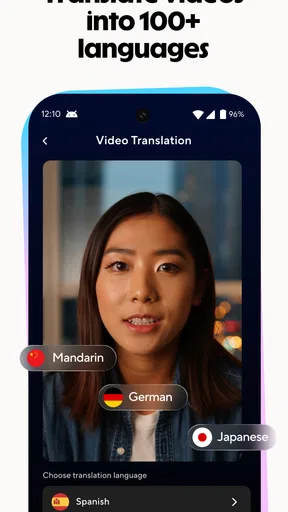
- Supports multiple languages for global reach.
Cons
- Limited customization options for templates.
- Requires a stable internet connection.
- Subscription needed for advanced features.
- Occasional bugs in voice synthesis.
- Lacks advanced editing tools for professionals.
FAQs for HeyGen: AI Video Generator
What is HeyGen: AI Video Generator used for?
HeyGen: AI Video Generator is designed for creating high-quality AI-driven video content. It allows users to quickly generate videos using advanced AI technology, making it ideal for content creators, marketers, and businesses looking to enhance their video production capabilities without the need for extensive editing skills.
Is HeyGen: AI Video Generator user-friendly for beginners?
Yes, HeyGen is designed with an intuitive interface that caters to both beginners and experienced users. The app provides easy-to-follow instructions and a variety of templates, making the video creation process straightforward even for those with limited technical skills.
What are the key features of HeyGen: AI Video Generator?
HeyGen offers several standout features, including AI-powered video editing, customizable templates, and a vast library of assets. Users can also leverage voiceover capabilities and real-time editing, allowing for seamless adjustments and personalized video content creation.
Are there any costs associated with using HeyGen: AI Video Generator?
HeyGen offers a range of pricing plans, including a free tier with basic features and premium subscriptions that unlock additional functionalities. Users should review the pricing details on the official website to determine which plan best suits their needs and budget.
What are the system requirements for HeyGen: AI Video Generator?
HeyGen is available for both Android and iOS platforms. It requires a device running on Android 8.0 or later, or iOS 12.0 or later, ensuring compatibility with a wide range of smartphones and tablets. Users should ensure their device meets these requirements for optimal performance.


